
Calvary Broadcasting is now available on Amazon Alexa. Here is how to use it:
1. Enable the Calvary Broadcasting skill on Amazon Alexa by clicking the link below: Note: We would recommend you manually enable the skill by clicking the link rather than trying to do it vocally. There are a number of people on Alexa using the name "Calvary" which causes Alexa to get confused if you try to enable it verbally.
2. Once the skill is enabled, simply speak the following phrase to your Alexa enabled device: Alexa, open Calvary Broadcasting Skill
NOTE: If you hear a message saying "Sorry, this skill is not supported on this device," please follow the Troubleshooting steps below.
1. Enable the Calvary Broadcasting skill on Amazon Alexa by clicking the link below: Note: We would recommend you manually enable the skill by clicking the link rather than trying to do it vocally. There are a number of people on Alexa using the name "Calvary" which causes Alexa to get confused if you try to enable it verbally.
2. Once the skill is enabled, simply speak the following phrase to your Alexa enabled device: Alexa, open Calvary Broadcasting Skill
NOTE: If you hear a message saying "Sorry, this skill is not supported on this device," please follow the Troubleshooting steps below.
Imporant Troublshooting Note
Due to the lack of free-speech laws in some countries and the legal restrictions those countries put in place surrounding traditional religious values, we are unable to offer this skill outside of the United State of America. If you do not have your home address assigned on each of your echo devices, you will get a message saying something like, "Sorry, this skill is not supported on this device." You need to set your address on each echo device you intent to use our skill on. To do so, follow these instructions using the Alexa app on your phone. You must do this on your phone. You cannot do this from the Amzon website:
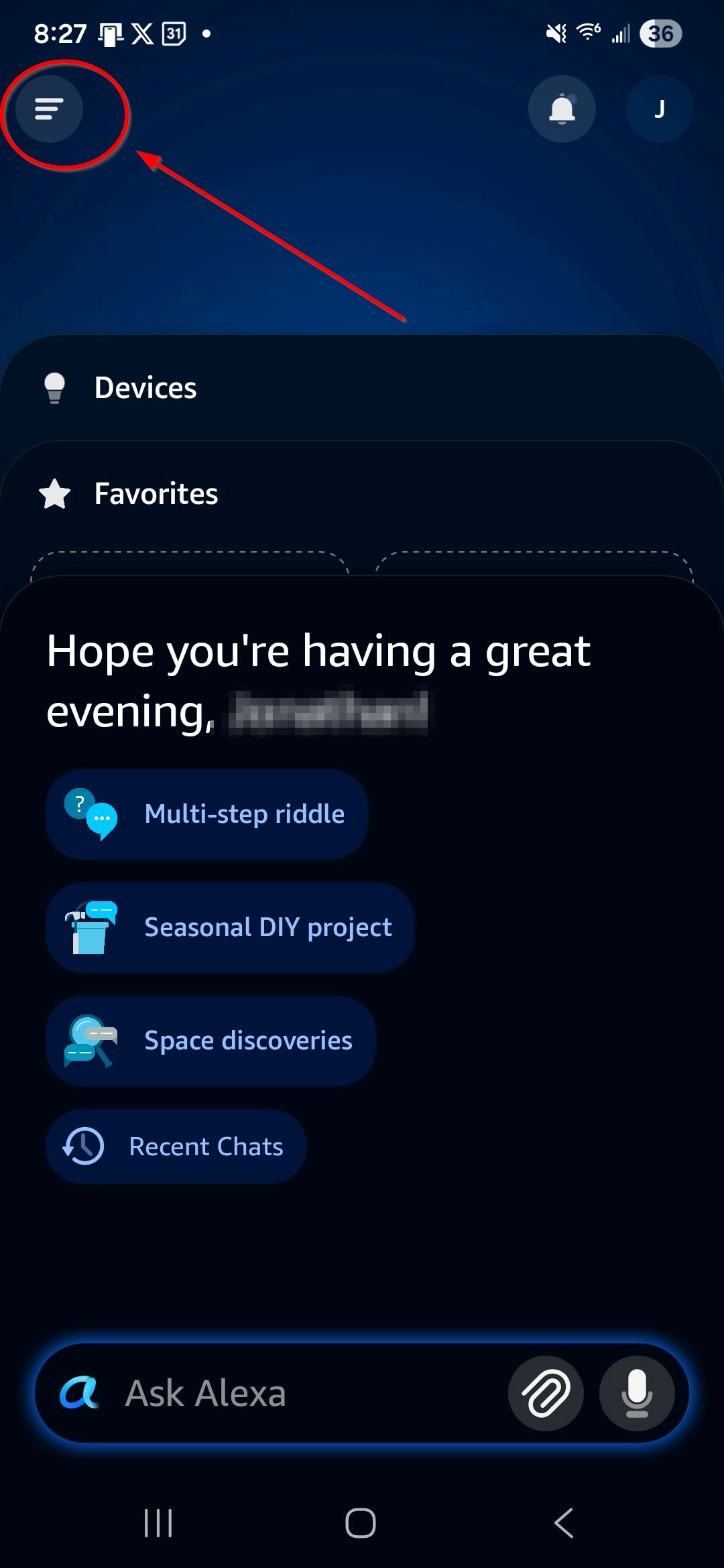
- Open the Alexa app on your phone and tap the 3 bars icon.
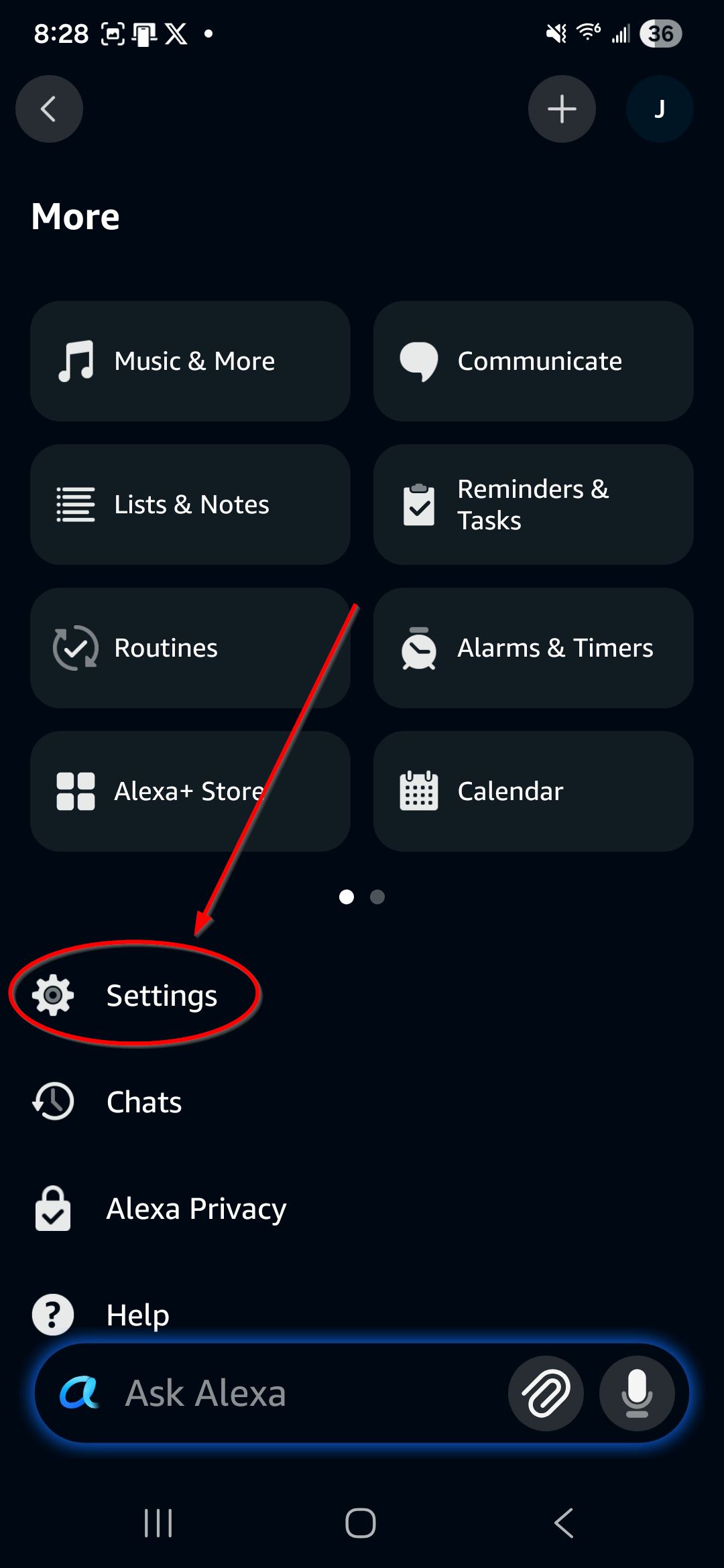
- Tap Settings
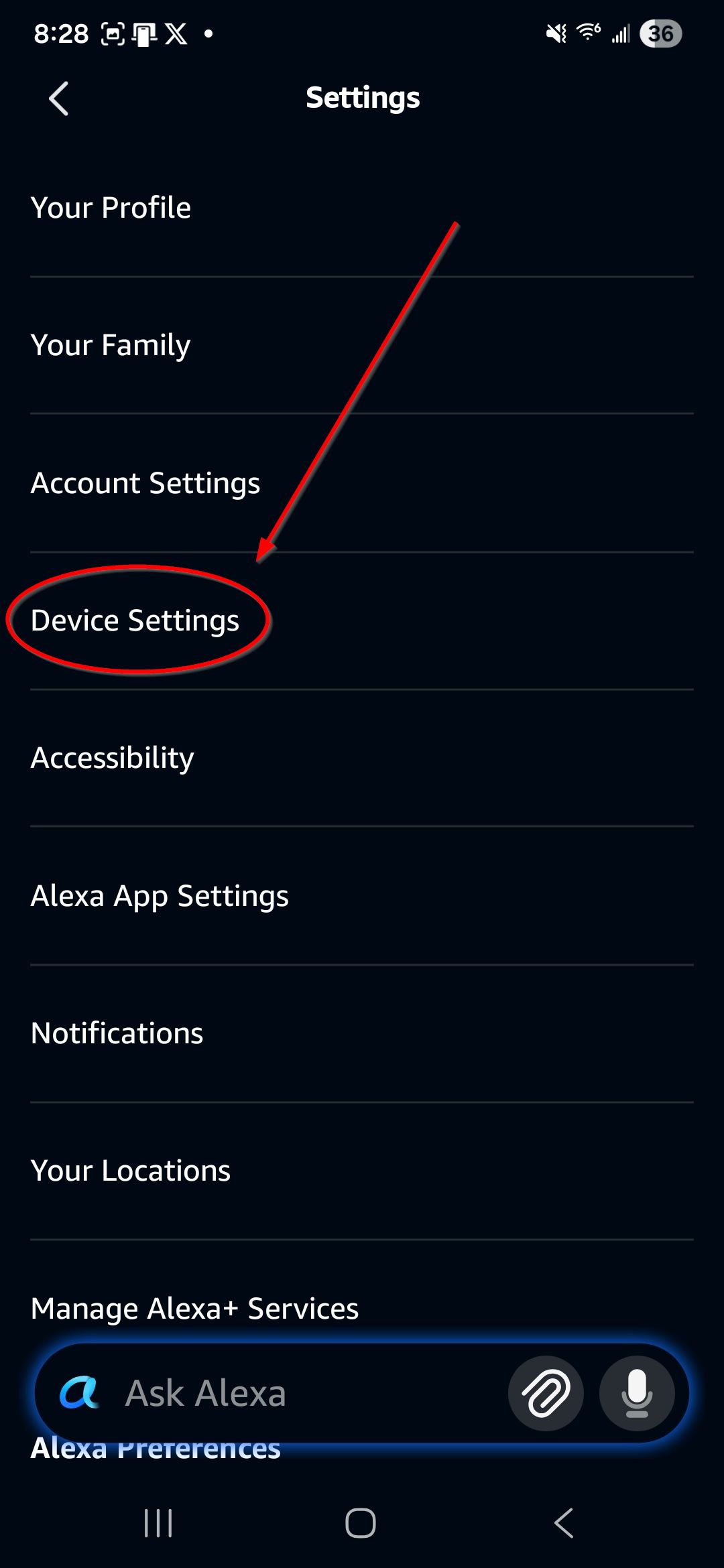
- Tap Device Settings
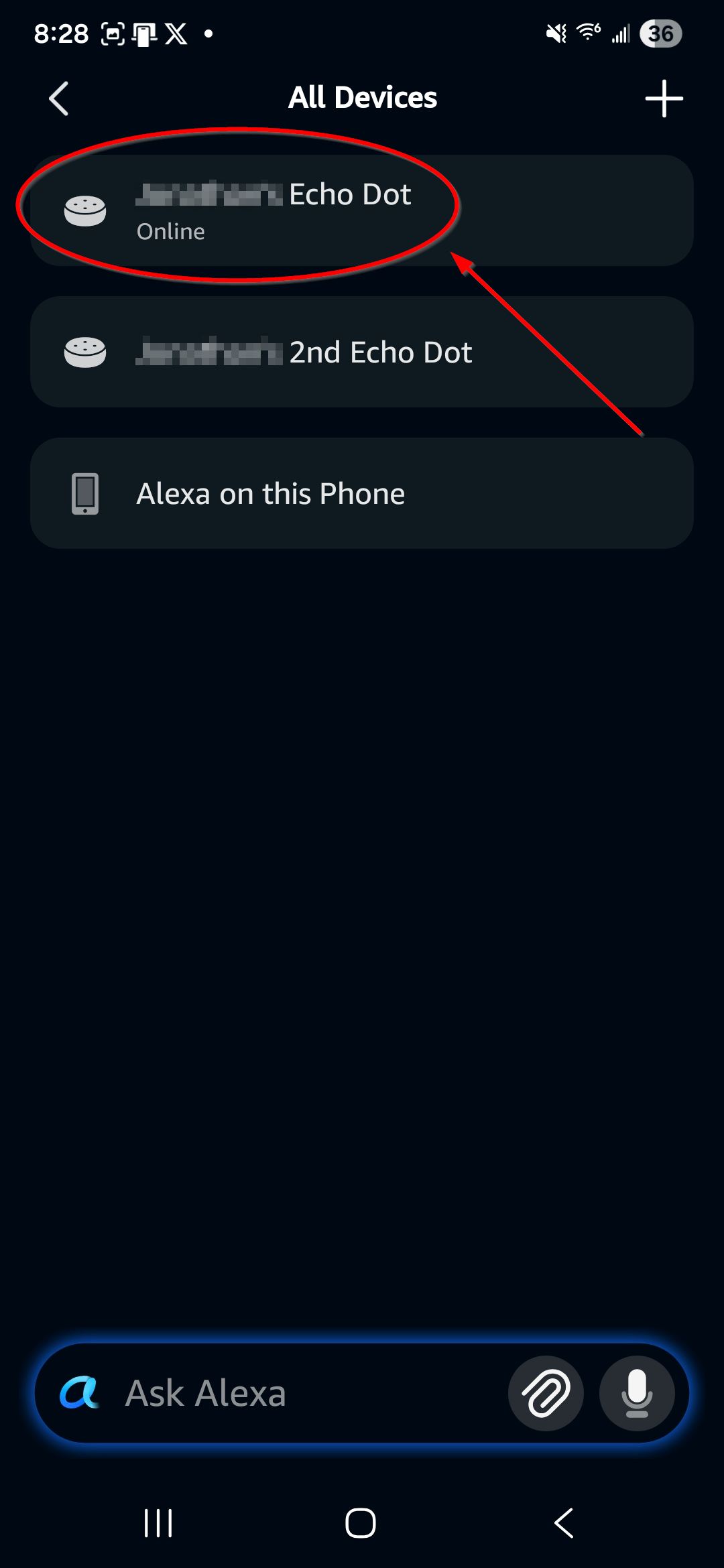
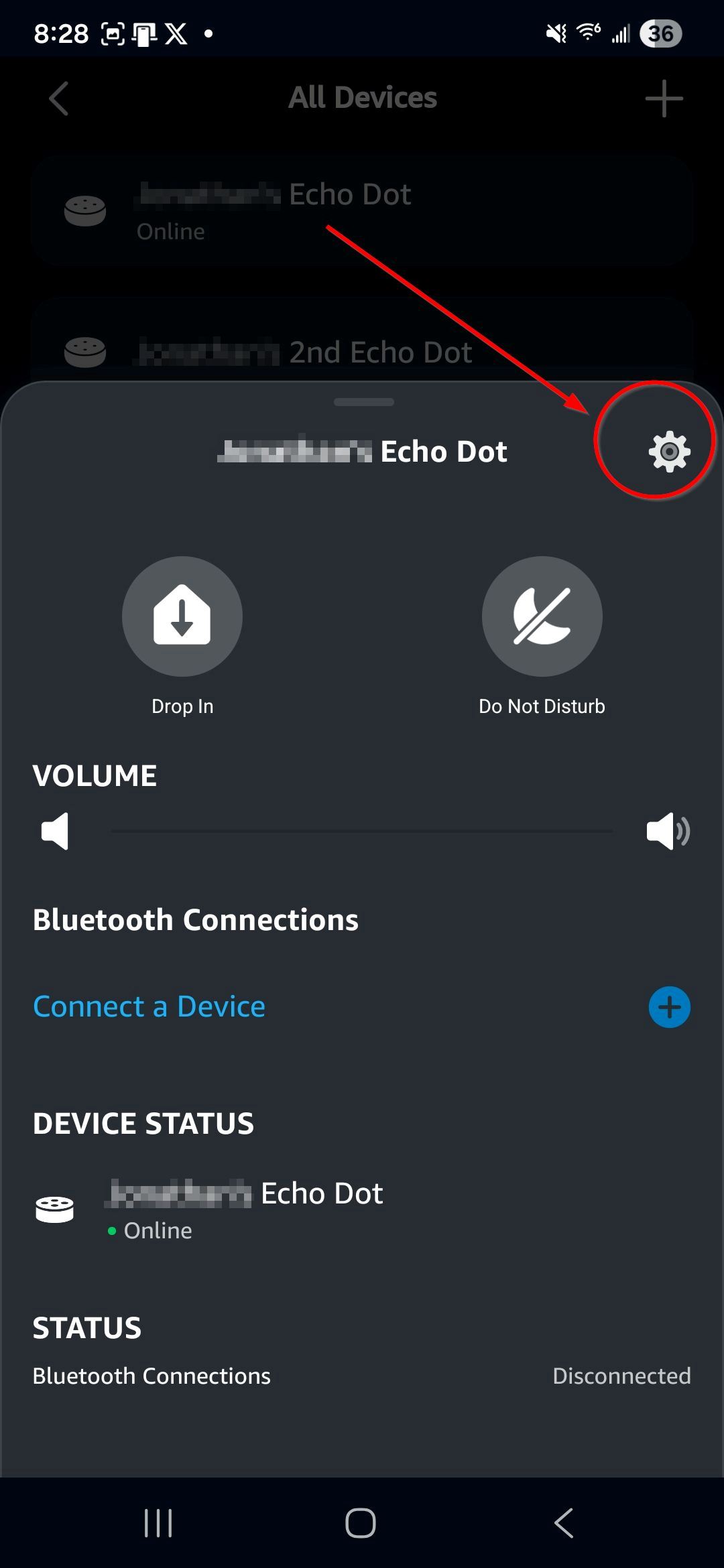
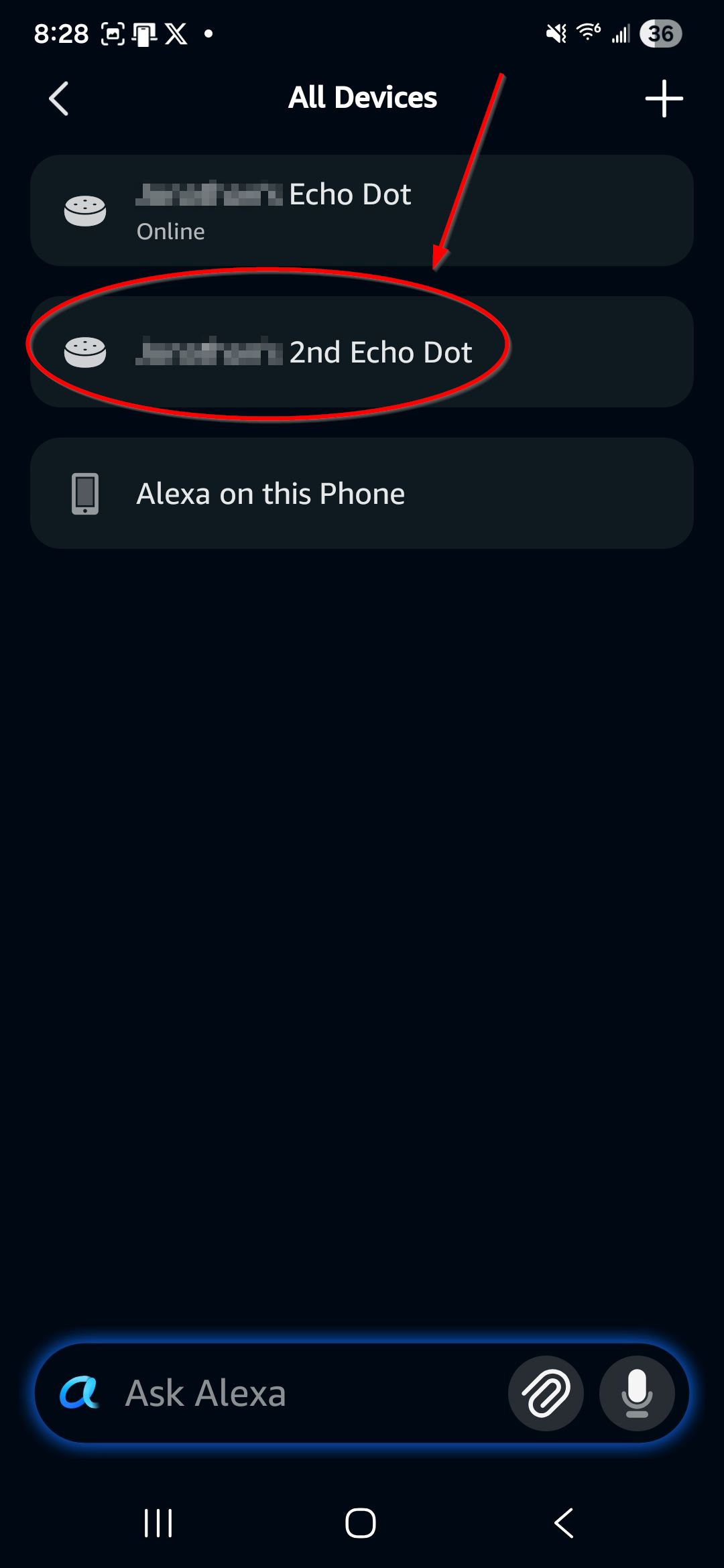
- Pick one of your Echo devices
- Tap the Gear icon
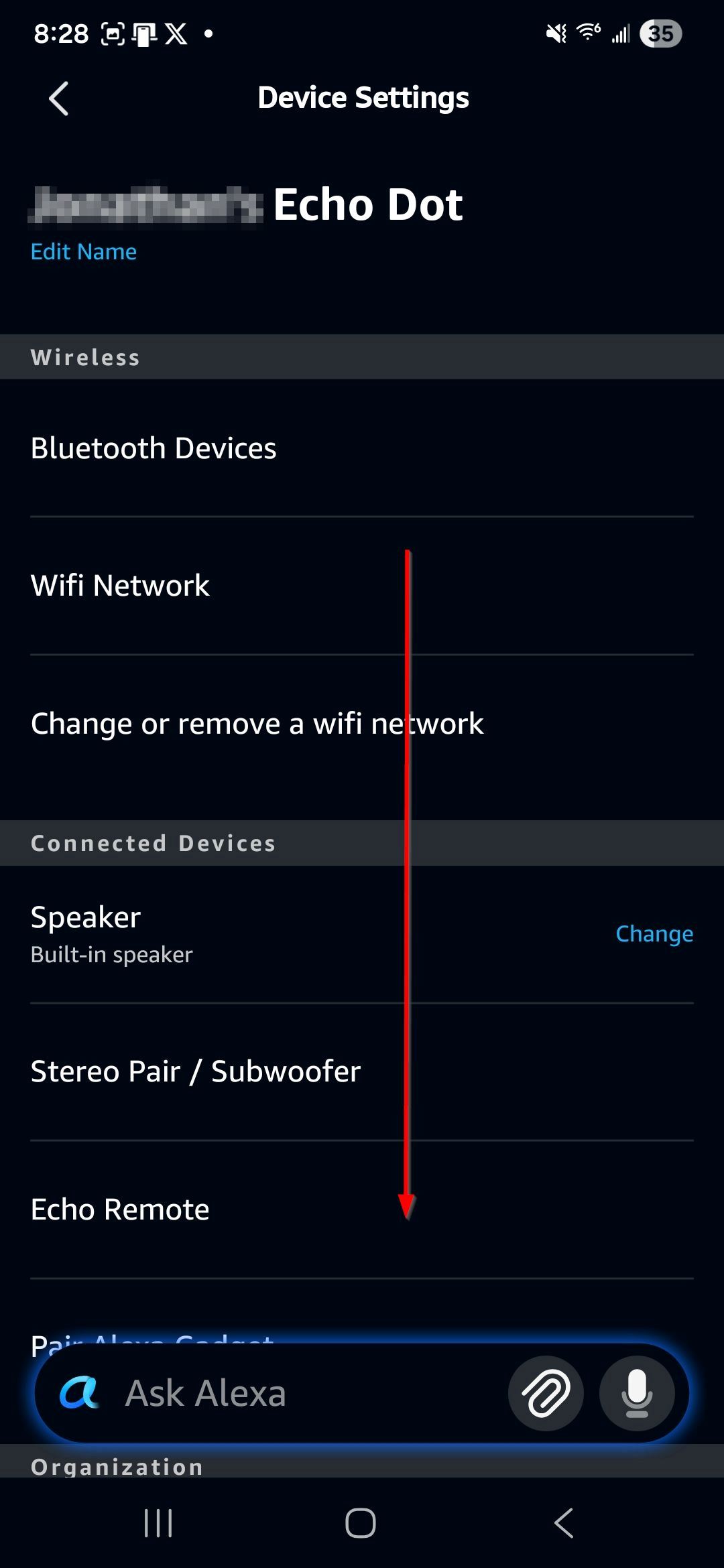
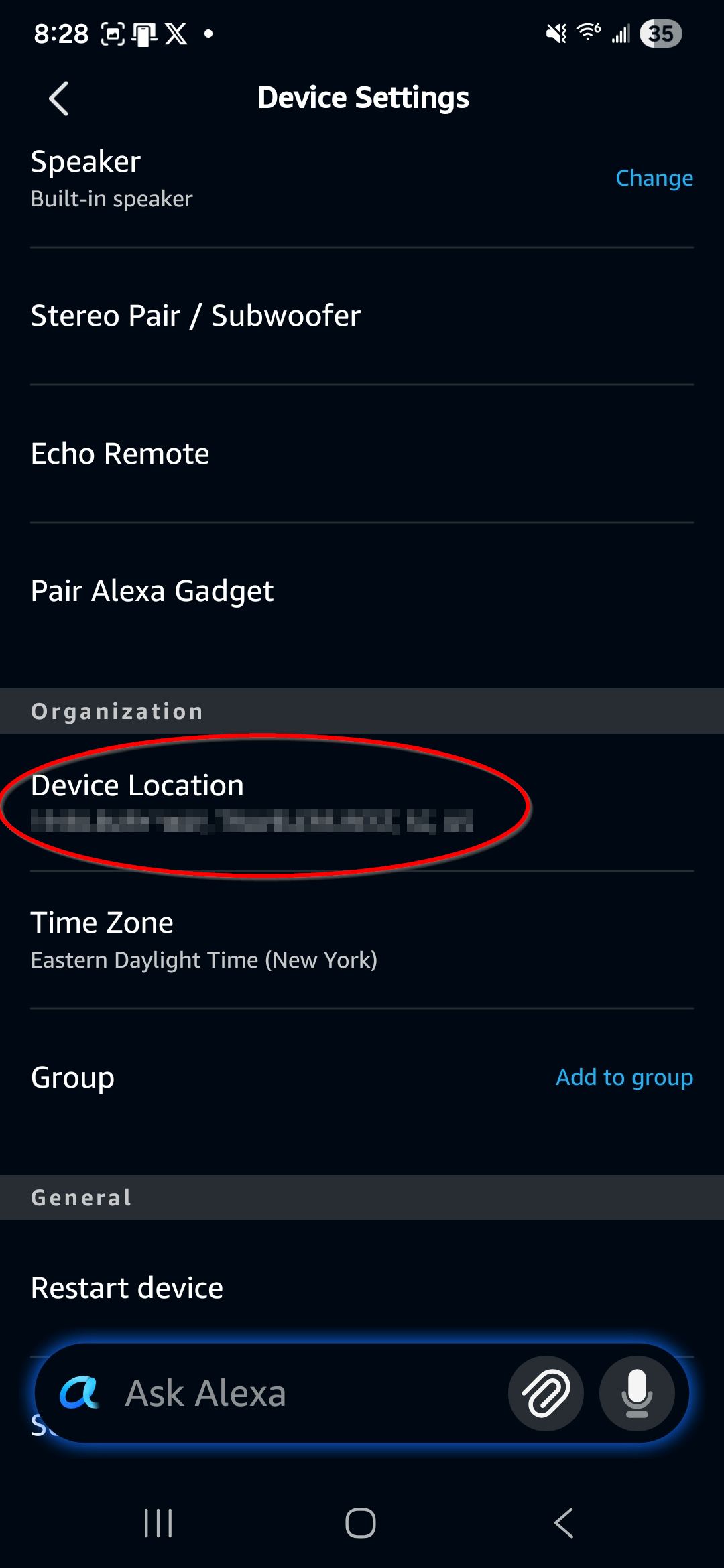
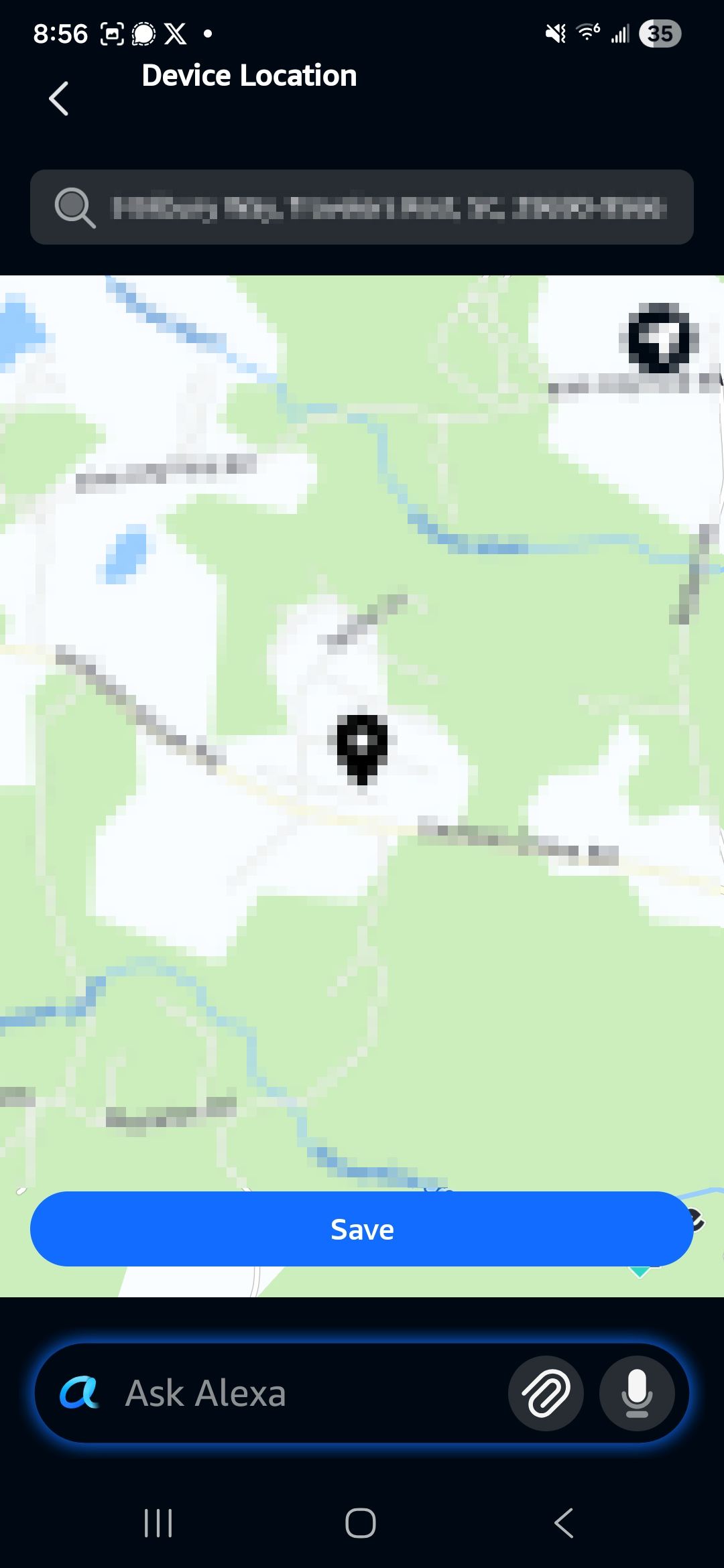
- Scroll down until you find Device Location
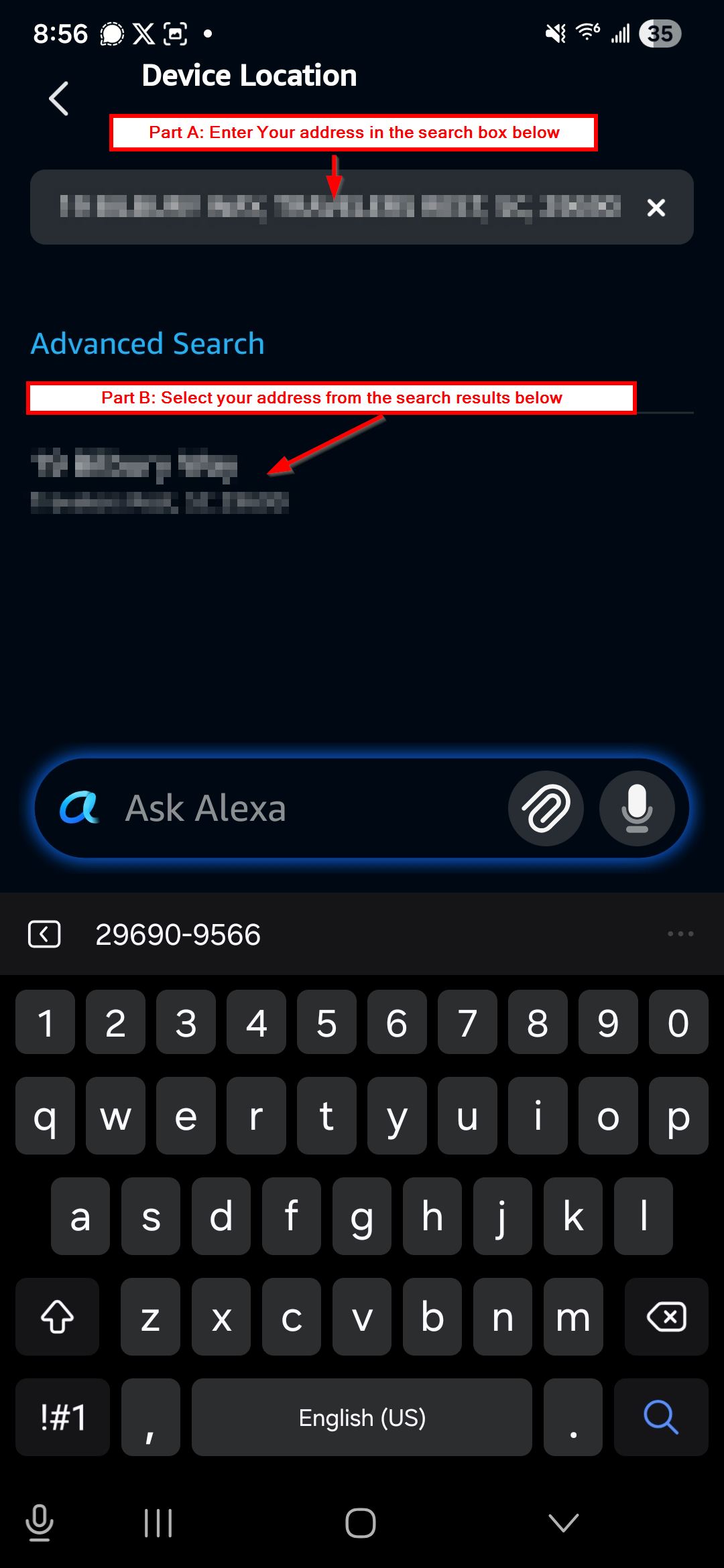
- Tap to enter your address/li>
![]()
- Search for your address in Part A and Select it in Part B
- Tap "Save" to confirm
- Repeat Steps 4-8 if you have multiple Echo devices
- Launch the Calvary Broadcasting skill on your device by saying Alexa, Open Calvary Broadcasting
- If the skill still refuses to open, please Contact Us
Amazon, Echo, and Alexa are trademarks of Amazon, Inc.